Most businesses spend years collecting sensitive files in Microsoft 365: contracts, payroll spreadsheets, customer records, engineering drawings. Many of those files are shared more widely than anyone intended. That was a quiet risk until AI assistants such as Microsoft 365 Copilot arrived, because Copilot can find and summarize anything a user already has access to, in seconds.
Microsoft Purview is how Microsoft 365 helps you find, protect and govern that data. This guide explains what Purview actually does, which parts small businesses often already pay for, and the practical steps to take before you roll out Copilot or other AI tools.
What does Microsoft Purview actually do?
Microsoft Purview is Microsoft’s family of data security, governance and compliance tools. In plain terms, it answers three questions:
- Where is our sensitive data? Purview can recognize information such as credit card numbers, Social Security numbers and other sensitive content across email, OneDrive, SharePoint and Teams.
- Who can see it, and what can they do with it? Labels and policies control who can open, forward, print or copy sensitive files and emails.
- How long do we keep it, and can we find it later? Retention policies, audit logs and eDiscovery help you keep what you must, delete what you should, and search when a dispute, audit or investigation comes up.
You manage these features in the Microsoft Purview portal, which replaced the older Microsoft 365 compliance center.
The Purview features that matter most for small businesses
Purview has many components, but most small and mid-size businesses get the most value from a handful:
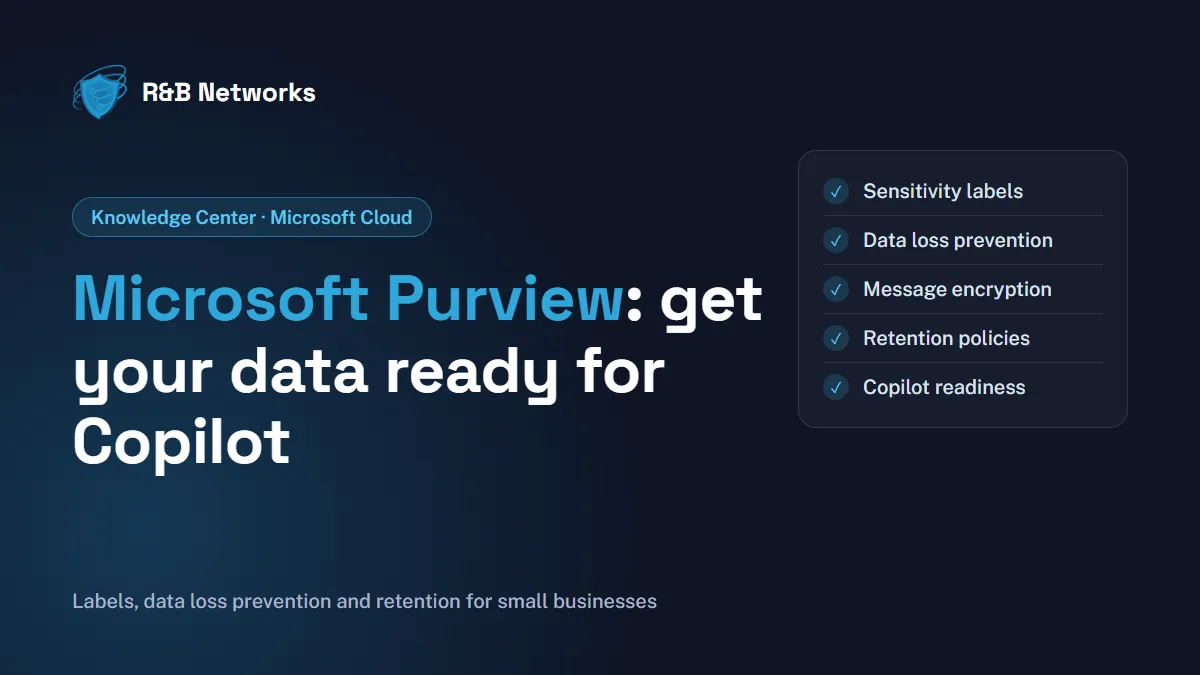
- Sensitivity labels: tags such as “Public,” “Internal” and “Confidential” that people apply to documents and emails. A label can add encryption, watermarks and restrictions that travel with the file, even when it is downloaded or emailed outside the company.
- Data loss prevention (DLP): policies that warn or block when someone tries to share sensitive information, such as emailing a spreadsheet full of customer card numbers outside the company.
- Message encryption: protects sensitive emails so only the intended recipients can read them.
- Retention policies: keep records for as long as your industry, contracts or regulators require, and remove what you no longer need.
- Audit and eDiscovery: a record of who did what, and the ability to search and export content for legal or compliance requests.
Larger organizations also use advanced tools such as insider risk management and communication compliance, but these are rarely the place to start.
Do we already have Microsoft Purview?
Possibly. Many Microsoft 365 business plans include some Purview capabilities, and Microsoft 365 Business Premium includes core features such as sensitivity labels, data loss prevention, message encryption and retention. More advanced capabilities, such as automatic labeling and insider risk management, generally require enterprise licenses or an add-on.
Microsoft changes its licensing and add-ons regularly, so check what your current plan includes before buying anything new. A Microsoft licensing assessment often finds features you are already paying for but have never turned on. Our guide to Microsoft 365 security features you’re probably not using covers more of them.
Why Purview matters before you roll out Copilot
Copilot follows the permissions you already have. It does not give anyone access to files they could not open before, but it makes everything they can open far easier to find. If a salary spreadsheet sits in a SharePoint site the whole company can reach, anyone could ask Copilot about salaries and get an answer.
That is why data governance belongs before an AI rollout, not after it. Purview helps in three ways:
- Find oversharing: identify sensitive content stored in places that are open to too many people, and tighten access.
- Label what matters: Copilot respects sensitivity labels and the encryption they apply, so a file restricted to the finance team stays restricted when someone asks Copilot about it.
- Watch how AI is used: Purview includes tools that show how people are using Copilot and other AI apps with company data, so you can spot risky behavior early.
For more on where AI tools are heading in Microsoft 365, see Unlocking Productivity with Autonomous Agents and AI Business Processes in Microsoft Cloud.
A practical rollout plan
You do not need to protect everything at once. A phased approach works well for small businesses:
- Agree on three or four labels with plain names, such as Public, Internal, Confidential and Highly Confidential. Fewer labels means people actually use them.
- Review sharing in SharePoint, OneDrive and Teams. Remove “everyone” access from sites that hold sensitive information, and clean up old sharing links.
- Turn on DLP in test mode first. Start with policies for the data you handle most, such as card numbers or personal information, and review the alerts before blocking anything.
- Set retention policies that match your legal and contract obligations. Ask your compliance advisor or attorney how long specific records must be kept.
- Train your team in a short session: what each label means and what to do when a DLP warning appears.
- Then pilot Copilot with a small group, review what it surfaces, and expand once you are comfortable.
Why can’t I open a file protected by Microsoft Purview?
This is one of the most common Purview questions. If a PDF or Office document says it is protected by Microsoft Purview Information Protection, a sensitivity label has encrypted it, and only the people or groups the label allows can open it. Sign in with the work account the file was shared with, and use an app that supports labeled files, such as the Office apps or the Microsoft Purview Information Protection viewer for PDFs. If you need the protection removed or changed, ask the file’s owner or your Microsoft 365 administrator. Protection is designed so it cannot simply be stripped off by anyone who receives the file.
How R&B Networks helps
As a Microsoft Cloud Solution Provider, R&B Networks helps businesses across Orange County license, deploy and manage Microsoft 365, including AI governance with Microsoft Purview alongside Microsoft Entra, Defender and Sentinel. We can review your current licensing, find the Purview features you already own, design labels and DLP policies that fit how your team works, and prepare your environment for Copilot.
The bottom line
Microsoft Purview is the part of Microsoft 365 that keeps sensitive data where it belongs. Start with a few clear labels, tighten sharing, turn on data loss prevention carefully, and set sensible retention. Do that before Copilot arrives, and AI becomes a productivity tool rather than a shortcut to information people should never have seen.
Have questions about Microsoft Purview? Get a free assessment or call us at 949-323-8837.