Most small businesses start on Microsoft 365 Business Standard: email, Teams, OneDrive and the Office apps. Then an insurance renewal asks about multi-factor authentication and endpoint protection, a laptop goes missing, or someone asks whether staff can safely check email on their personal phones. That is usually when Business Premium comes up.
This guide explains what Microsoft 365 Business Premium includes, how it differs from Business Standard and Microsoft 365 E3, who needs it, and how to tell whether the upgrade pays for itself for your Orange County business.
What comes with Microsoft 365 Business Premium?
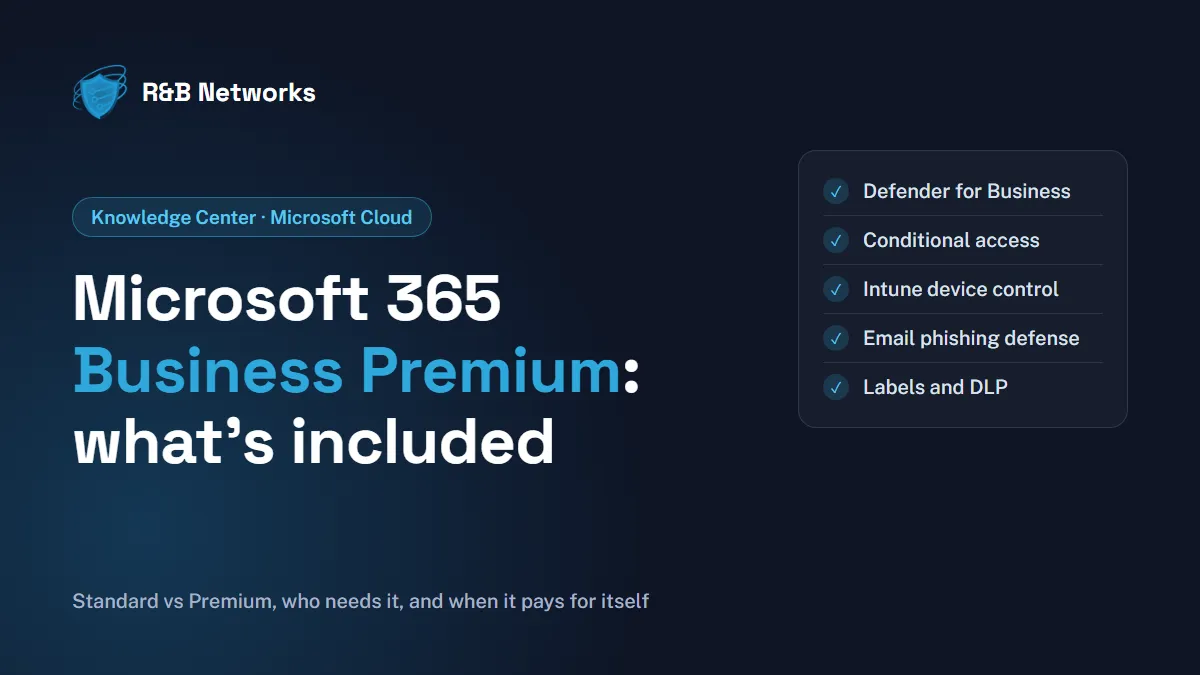
Business Premium includes everything in Business Standard, plus a set of security and device management tools that are otherwise sold separately. It is designed for businesses with up to 300 users.
Everything in Business Standard:
- Desktop, web and mobile versions of Word, Excel, PowerPoint and Outlook
- Business email with Exchange Online, Teams, SharePoint and OneDrive cloud storage
Plus these security and management tools:
- Microsoft Defender for Business: endpoint protection with endpoint detection and response (EDR) for Windows, Mac, iOS and Android devices.
- Microsoft Defender for Office 365 (Plan 1): stronger protection against phishing, malicious links and dangerous attachments in email and Teams.
- Microsoft Intune: device management, so you can enforce encryption, push updates, and wipe company data from a lost or stolen device.
- Microsoft Entra ID P1: conditional access, which sets rules such as “require multi-factor authentication (MFA) unless the user is on a company device” or “block sign-ins from other countries.”
- Microsoft Purview Information Protection and data loss prevention: sensitivity labels that encrypt documents, and policies that warn or block when someone tries to share sensitive data.
- Exchange Online Archiving: an expanded email archive for long-term retention.
- Windows Autopilot: new laptops ship straight to employees and configure themselves when they sign in.
Business Standard vs Business Premium
The productivity apps are the same. The difference is protection and control:
| Business Standard | Business Premium | |
|---|---|---|
| Office apps, email, Teams, OneDrive | Yes | Yes |
| Basic MFA (security defaults) | Yes | Yes |
| Conditional access policies | No | Yes |
| Endpoint protection with EDR | No | Yes (Defender for Business) |
| Advanced email phishing protection | No | Yes (Defender for Office 365 P1) |
| Device management and remote wipe | Basic | Full (Intune) |
| Sensitivity labels and data loss prevention | No | Yes |
If you are on Standard and paying separately for antivirus, email filtering or a device management tool, some of that cost may already be covered by Premium.
Who needs Business Premium?
Business Premium is usually the right fit when one or more of these is true:
- Your cyber insurer asks about MFA, EDR and email security. Premium covers several of the controls insurance questionnaires now ask about. See the security controls insurers now expect.
- Staff work remotely or use personal phones for email and Teams, and you need to protect company data without managing the whole device.
- You handle sensitive client data, such as legal, financial, engineering or personal information, and need encryption, labels and sharing controls.
- You are preparing for Microsoft 365 Copilot. Copilot can surface anything a user already has access to, so labels and permissions matter. Our guide to Microsoft Purview for small businesses explains why.
- You have compliance obligations and need audit trails, retention and data protection tools. Your compliance advisor confirms what your industry requires.
Business Standard can be enough for a very small team with no sensitive data, no remote devices and no insurance or compliance pressure, as long as MFA is turned on for everyone.
Business Premium vs Microsoft 365 E3
Microsoft 365 E3 is the enterprise plan. It has no 300-user limit and adds some features aimed at larger organizations, such as more advanced compliance and Windows Enterprise licensing. For most businesses under 300 users, Business Premium covers the same day-to-day security needs. If you are approaching 300 users, or need specific E3 or E5 compliance features, it is worth reviewing your licensing mix, since plans can be combined within one tenant.
How much does Microsoft 365 Business Premium cost?
Microsoft publishes list prices for each plan on its website and adjusts them from time to time, so check the current figure there or ask your Microsoft partner. A few things affect what you actually pay:
- Commitment term: annual commitments cost less per user than month-to-month subscriptions, but you can only reduce licenses at renewal.
- Add-ons: Microsoft 365 Copilot, Teams Phone and extra storage are licensed separately.
- Licenses you no longer need: inactive accounts and duplicate tools are common sources of waste.
What is Microsoft charging me $9.99 for? A charge around that amount is often a consumer plan, such as Microsoft 365 Personal, rather than a business subscription. Consumer plans are licensed for personal use and lack business admin and security controls, so it is worth moving business users onto business plans.
What’s the cheapest way to get Microsoft 365? The cheapest plan is rarely the cheapest outcome. Business Basic is web and mobile only, and Standard leaves out the security tools you may end up buying elsewhere. A Microsoft licensing assessment shows which plan each user actually needs.
Buying Premium is not the same as using it
Many businesses pay for Business Premium and never switch on most of what it includes. Conditional access, Defender for Business, Intune policies and sensitivity labels all need to be configured, tested and rolled out carefully so they do not lock people out. Our article on Microsoft 365 security features you’re probably not using is a good checklist.
A sensible rollout order:
- Turn on MFA for every user, then add conditional access policies.
- Deploy Defender for Business to every laptop and desktop.
- Enroll company devices in Intune and set basic app protection for personal phones.
- Tighten email protection with Defender for Office 365.
- Introduce a few simple sensitivity labels and data loss prevention in test mode.
How R&B Networks can help
R&B Networks is a Microsoft Cloud Solution Provider based in Fountain Valley, serving small and mid-size businesses across Orange County and Southern California. Our Microsoft cloud services cover license management (renewals, upgrades and cost control), migrations, and Microsoft security with Entra, Defender and Purview, so the features you pay for are configured and working. Our engineering team includes professionals holding active ISC2 CISSP, Microsoft Azure Solutions Architect, Cisco CCIE and VMware credentials.
The bottom line
Microsoft 365 Business Premium is Business Standard plus the security and device management most small businesses now need: endpoint protection, advanced email security, conditional access, device management and data protection. If you have remote staff, sensitive data, insurance requirements or Copilot plans, it usually pays for itself, as long as the features are actually turned on.
Have questions about Microsoft 365 Business Premium? Get a free assessment or call us at 949-323-8837.