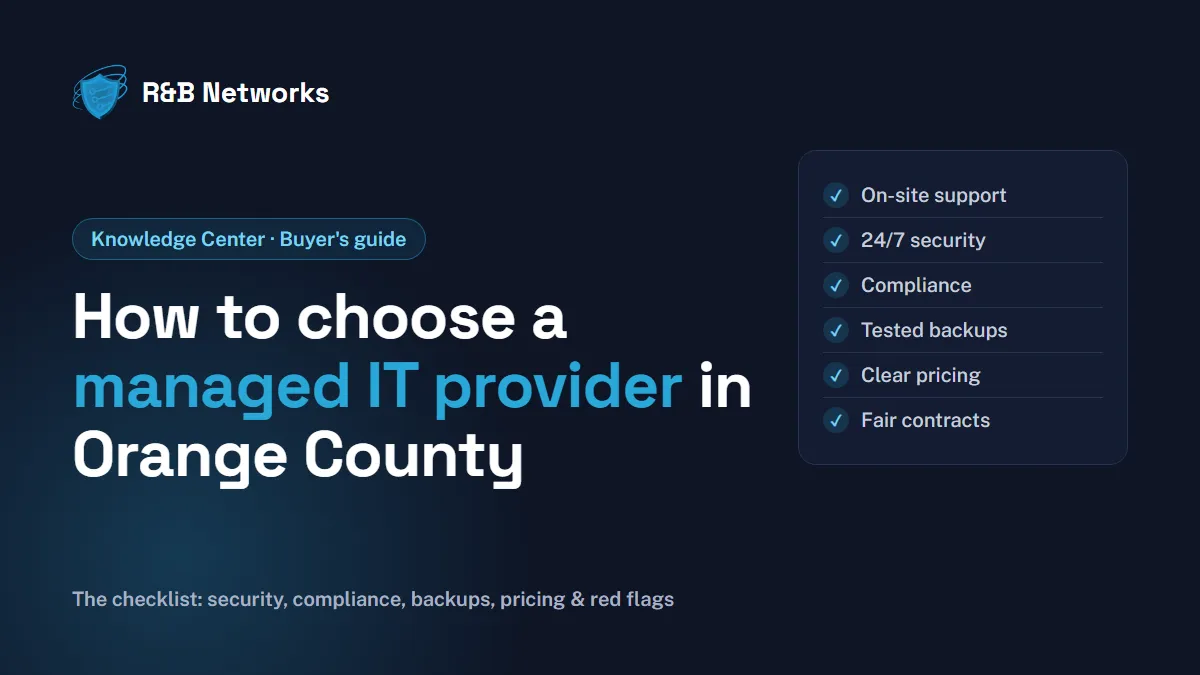
Choosing a managed IT service provider (MSP) is one of the more consequential decisions a growing business makes. The right partner keeps your systems running, your data protected and your team productive. The wrong one leaves you with slow responses, surprise invoices and security gaps you only discover after an incident.
Orange County has dozens of MSPs, from one-person shops to large regional firms, so the hard part is not finding one. It is knowing what to ask. This checklist covers the questions that matter most for small and mid-size businesses here, from security and compliance to on-site support and contract terms.
1. Start with what you actually need
Before you compare providers, write down what you want IT to do for your business. A short list keeps every conversation focused:
- Outcomes: fewer interruptions, faster help for staff, better security, room to grow, a plan for aging equipment.
- Scope: do you want a fully managed service (the MSP is your IT department), or co-managed IT (the MSP supports an in-house IT person or team)?
- Must-haves: compliance requirements, specific software, multiple offices, remote staff.
If you already have an IT person, co-managed IT is often the best fit: they keep the day-to-day knowledge of your business while the MSP adds 24/7 monitoring, security tooling and extra hands for projects. We cover this in more detail in How a Managed Service Provider Becomes Your IT Department’s Most Valuable Extension.
2. Local presence and on-site support
Most support today happens remotely, but some problems still need someone on site: a failed switch, a new office build-out, a firewall replacement, an executive’s laptop the morning of a board meeting.
Ask each provider:
- Where is your office, and which parts of Orange County do you cover on site?
- How quickly can someone be on site for an urgent problem, and is that in the contract?
- When we call for help, who answers: a technician who knows our environment, or a call center?
A provider based in Orange County is not automatically better, but one that is close enough to send an engineer the same day removes a lot of risk.
3. Security built in, not bolted on
Cybersecurity is now the core of managed IT, not an add-on. Ransomware, business email compromise and stolen passwords hit small businesses as often as large ones. Ask how each provider protects you, specifically:
- 24/7 monitoring: who watches security alerts at 2 a.m. on a Saturday? Is it a staffed security operations center (SOC) with analysts, or automated emails nobody reads until Monday?
- Detection and response: do they provide managed detection and response (MDR) on every device, and will they contain a threat themselves or just notify you?
- Identity: is multi-factor authentication (MFA) enforced on email and remote access? See Understanding Multi-Factor Authentication.
- Email security: phishing filtering, plus security awareness training and simulated phishing for staff.
- Patching: how quickly are critical updates applied, and how do they report it?
- Incident response: if something gets through, what happens in the first hour, and who leads it?
If a provider cannot explain its security stack in plain English, that is a warning sign. Our managed cybersecurity services page shows what a complete stack looks like.
4. Compliance experience for your industry
Many Orange County businesses carry compliance obligations from their customers or regulators. An MSP should understand yours and produce the documentation to prove it:
- CMMC: aerospace, defense and manufacturing suppliers in the Department of Defense supply chain need Cybersecurity Maturity Model Certification.
- HIPAA: healthcare practices and their business associates.
- PCI DSS: any business that stores, processes or transmits card payments.
- SOC 2: service companies whose clients ask for an audit report.
- California privacy law (CCPA/CPRA): businesses that handle California residents’ personal information and meet the law’s thresholds.
Ask for an example of the documentation they provide (policies, evidence, reports) and whether they have supported a client through an audit or assessment in your industry.
5. Microsoft 365 and cloud expertise
Most small businesses run on Microsoft 365, and many are moving servers to Azure. A provider that knows the Microsoft cloud well can save money and close security gaps:
- Are they a Microsoft Cloud Solution Provider (CSP) or Microsoft partner, so they can manage your licensing directly?
- Do they review licenses so you are not paying for unused seats or the wrong plans?
- Do they actually turn on the security features you already pay for (for example in Microsoft 365 Business Premium)? See Securing Microsoft 365: 7 Features You’re Probably Not Using.
- Have they handled migrations like yours: email, file shares to SharePoint, tenant-to-tenant moves, servers to Azure?
6. Backup and disaster recovery for Southern California
Southern California businesses face risks that make tested backups essential: earthquakes, wildfire-related public safety power shutoffs, and, most often, ransomware. Ask:
- What exactly is backed up (servers, Microsoft 365 email and files, laptops), how often, and where?
- Are backups kept off-site and protected from ransomware (immutable or offline copies)?
- How long would it take to get us running again after losing our server or our office (recovery time), and how much data could we lose (recovery point)?
- When did you last test a restore, and can we see the result?
A backup that has never been restored is a hope, not a plan. Our article on Disaster Recovery as a Service explains the options.
7. Clear pricing and fair contract terms
Managed IT is usually priced per user or per device, per month, with project work (such as new equipment or a migration) quoted separately. The structure matters more than the headline price:
- What is included in the monthly fee, and what costs extra? Get it itemized.
- Are there onboarding fees?
- How long is the contract, and what does it take to leave?
- Who owns your admin accounts, passwords and documentation? You should, and you should get everything if you change providers.
Bundles that hide what you are paying for erode trust. We wrote about this in Why Transparent IT Pricing Matters More Than Ever.
8. Reporting, reviews and planning
A good MSP does not just fix things; it helps you plan:
- Service levels (SLAs): response times for urgent, high and normal issues, in writing.
- Regular reviews: monthly or quarterly reports that explain security posture, issues and trends in business terms, not jargon.
- Planning: a technology roadmap and budget for replacing aging equipment and software, which matters even more if you run legacy systems.
9. A clear onboarding plan
Switching providers should be planned, not improvised. Ask for a written onboarding plan with dates: an assessment of your current environment, documentation of everything they find, deployment of their tools, and a handover from your previous provider. Ask how they keep your business running during the transition.
10. Credentials, references and reviews
Finally, check that the people behind the promises are qualified:
- Certifications held by the engineers who will work on your systems (for example CISSP for security, Microsoft Azure Solutions Architect, Cisco CCIE for networking).
- References from clients similar to you in size and industry, ideally in Orange County.
- Google reviews, and how the provider responds to criticism.
Questions to ask every provider
Copy this list into your notes for each conversation:
- Which parts of Orange County do you cover on site, and how fast can you get here for an urgent issue?
- Who monitors our security alerts outside business hours, and do you contain threats yourselves?
- Is MFA enforced on all email and remote access from day one?
- What compliance frameworks have you supported clients through (CMMC, HIPAA, PCI DSS, SOC 2)?
- Are you a Microsoft CSP or partner, and will you review our licensing?
- What do you back up, where, and when did you last test a restore?
- What exactly does the monthly fee include, and what is billed separately?
- How long is the contract, and what happens to our accounts and documentation if we leave?
- What are your response times in writing, and what reports will we receive?
- Can you share references from businesses like ours?
Red flags
- Vague answers about who handles security after hours.
- No written service levels or response times.
- Pricing that is not itemized, or long contracts with steep exit fees.
- The provider keeps your admin passwords and documentation to itself.
- Backups that have never been test-restored.
- Pressure to sign before they have assessed your environment.
A simple way to compare providers
Score each provider from 1 to 5 on what matters to you, and weight the scores if some criteria matter more:
| Criteria | Provider A | Provider B | Provider C |
|---|---|---|---|
| On-site coverage and response times | |||
| 24/7 security monitoring and response | |||
| Compliance experience for our industry | |||
| Microsoft 365 and cloud expertise | |||
| Backup and disaster recovery (tested) | |||
| Clear pricing and fair contract | |||
| Reporting and planning | |||
| References and reviews |
How R&B Networks approaches managed IT
R&B Networks is based in Fountain Valley and works with small and mid-size businesses across Orange County and Southern California. Our approach follows the checklist above: 24/7 monitoring and response from a security operations center staffed by analysts, compliance support toward CMMC, PCI DSS and SOC 2, Microsoft licensing, migrations and security as a Microsoft Cloud Solution Provider, and network and infrastructure design, managed and co-managed IT, and penetration testing. Our engineering team includes professionals holding active ISC2 CISSP, Microsoft Azure Solutions Architect, Cisco CCIE and VMware credentials.
The easiest way to compare us is to put us through the checklist. Get a free assessment and we will review your current setup and give you a prioritized list of next steps, whether you work with us or not.
Frequently asked questions
How much do managed IT services cost in Orange County? It depends on the number of users and devices, the level of security you need and any compliance requirements. Most providers charge per user or per device per month, with projects quoted separately. Compare itemized quotes rather than headline prices, and make sure security monitoring and backups are included rather than sold as extras.
Do I need an MSP if I already have an IT person? Often, yes, as co-managed IT. Your IT person keeps ownership of day-to-day knowledge while the MSP adds 24/7 monitoring, security tools, after-hours coverage and help with projects.
What is the difference between an MSP and an MSSP? An MSP manages your overall IT (devices, network, cloud, help desk). A managed security service provider (MSSP) focuses on security monitoring and response. Many small businesses are best served by an MSP that includes a 24/7 security operations center, so one team is accountable for both.
How long does it take to switch MSPs? It depends on the size and complexity of your environment. Ask each provider for a written onboarding plan with dates, and make sure your current provider hands over all accounts and documentation.